See Evontar with a real community inside.
Take a 2-minute guided tour through every feature using Grace Community Church, our sample church and small-group community. No sign-up required.
The live demo signs you in to a sandbox church account. Click around — it resets nightly, so you can't break anything.
Guided tour · 6 steps · ~2 minutes
Every feature, in context
Scroll through to see what your community will use day to day. Each screen is a real Evontar page rendered against the sample data.
- STEP 1 / 6
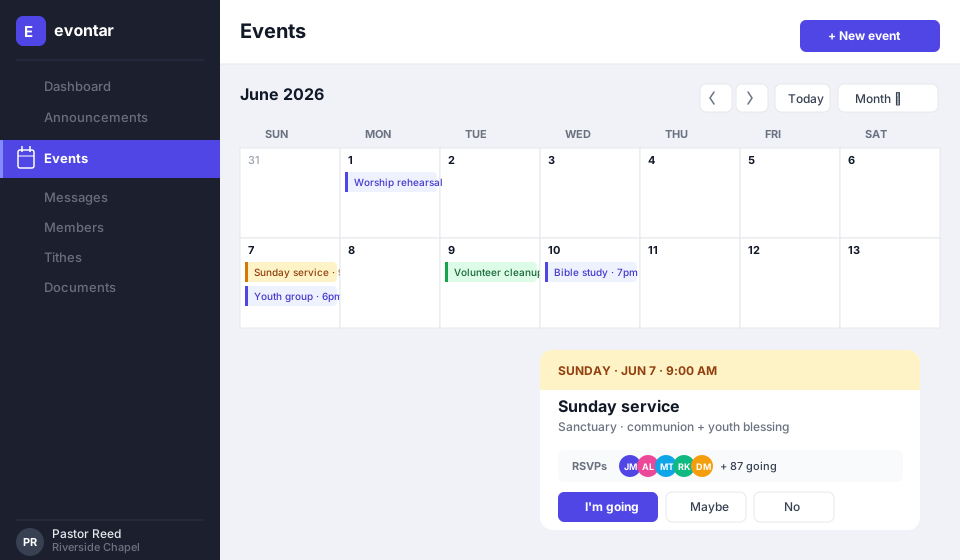
Plan a Sunday — events with one-tap RSVPs
Open the calendar and see every service, study, and social on one screen. Tap an event to RSVP, see who's coming, and post updates.
- Recurring events for weekly services and studies
- RSVPs roll up to head-counts for the team
- Reminders sent automatically the day before
- STEP 2 / 6
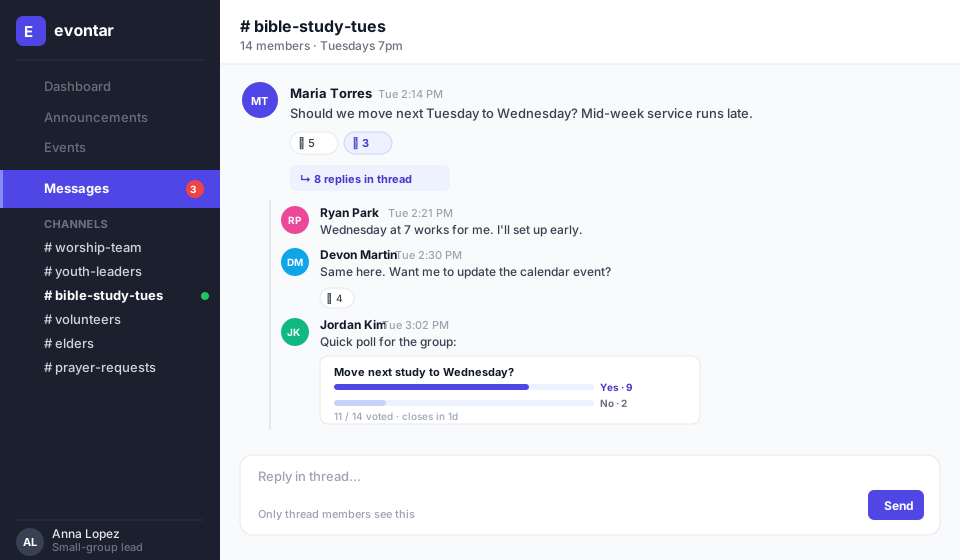
Talk in channels, not the all-org inbox
Each group, ministry, or committee gets its own channel with threaded replies. Reactions and quick polls let decisions happen inline.
- Per-channel notifications members control themselves
- Polls right in the thread for fast group decisions
- Searchable history so new members catch up
- STEP 3 / 6
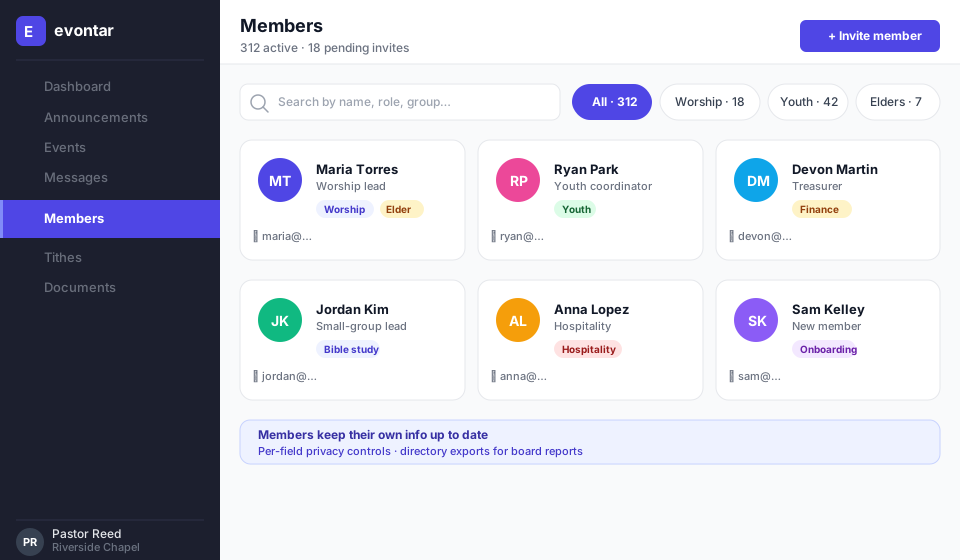
A directory members keep current
Members update their own info — photo, role, contact details — with per-field privacy so you share only what's intended.
- Roles and ministries make it easy to find the right person
- Privacy controls per field (e.g. hide phone from public)
- Export for board reports or directories
- STEP 4 / 6
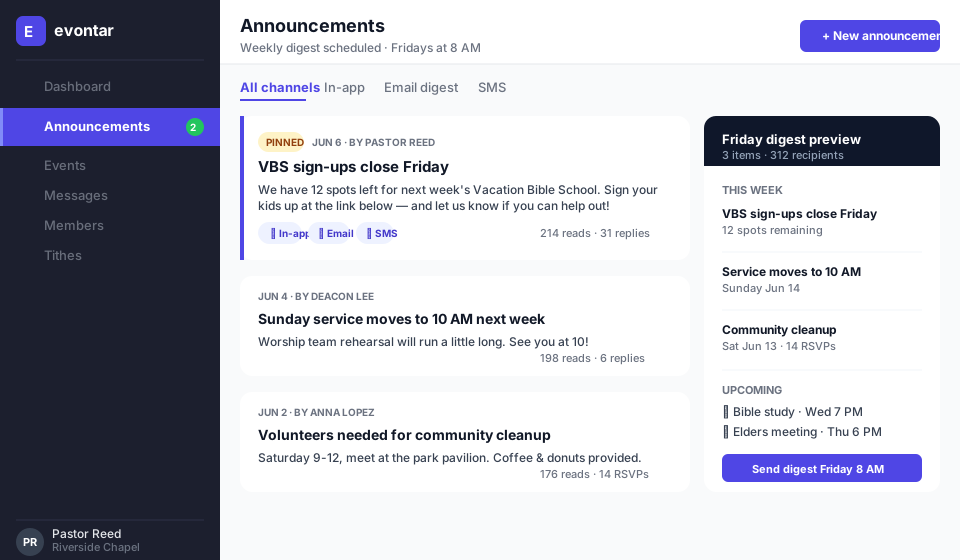
One announcement, every channel
Post once and let members pick how they hear it: in-app, email, SMS. The Friday weekly digest rolls up everything so nobody misses anything.
- Schedule announcements ahead of time
- Weekly digest auto-builds from the week's posts
- Read receipts so you know who saw the big stuff
- STEP 5 / 6
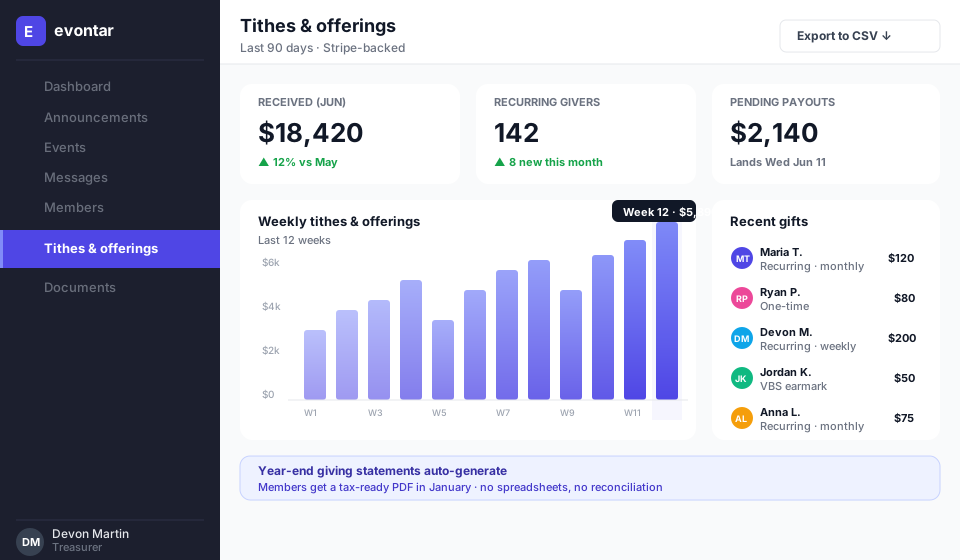
Tithes, dues, and giving that actually reconcile
Stripe-backed recurring giving with a finance dashboard your treasurer can hand to the board. Year-end statements auto-generate.
- Recurring and one-time gifts in two taps
- Earmark gifts for VBS, missions, or building fund
- PDF giving statements for members every January
- STEP 6 / 6
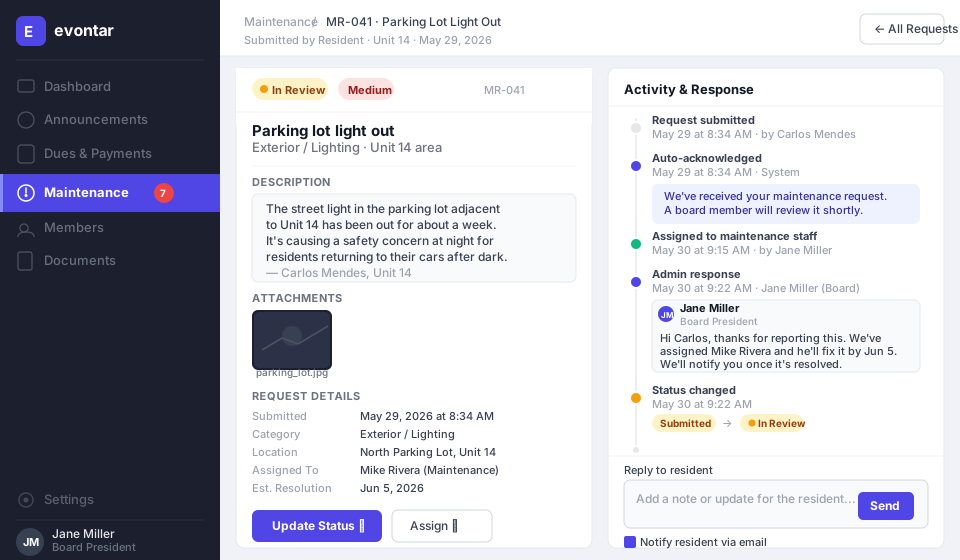
Docs & maintenance in the same place
Shared by-laws, sermon notes, and meeting minutes — plus maintenance requests for facilities — all where your members already log in.
- Versioned docs with simple permissions
- Maintenance requests with photo attachments
- Searchable across the org
Ready to click around for real?
Open the Grace Community Church demo and explore every page. Or start a free community of your own in under 10 minutes.
Free to start · no credit card · set up in under 10 minutes